Less time in Word.
Work the checklist, write findings with a built-in CVSS calculator, and pull in Nmap, Burp Suite, or Nuclei output. The report is generated from what you’ve already written.
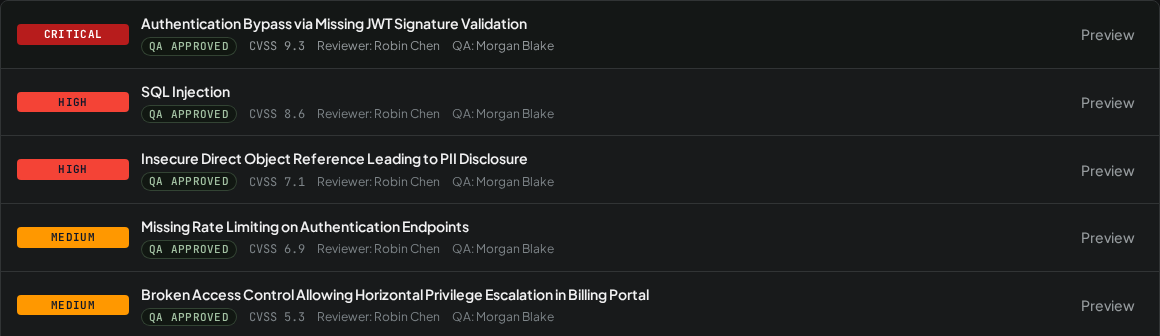
Testers work the checklist and write findings. Reviewers and QA sign them off. Team leads see every engagement, scope change, and queue at a glance. Then RedScribe builds the report. Self-hosted, and encrypted per engagement.
Free for personal and noncommercial use · Commercial use free for the first year · Alpha software
Work the checklist, write findings with a built-in CVSS calculator, and pull in Nmap, Burp Suite, or Nuclei output. The report is generated from what you’ve already written.
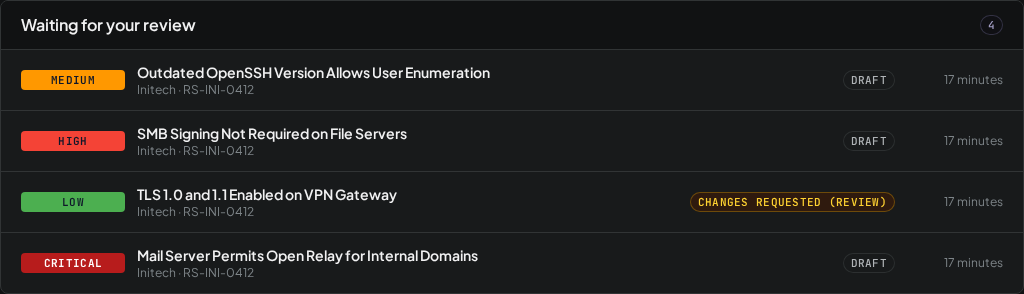
Everything assigned to you, in one list. Comment on the exact sentence, request changes, or approve. Nothing reaches the client until QA says so.
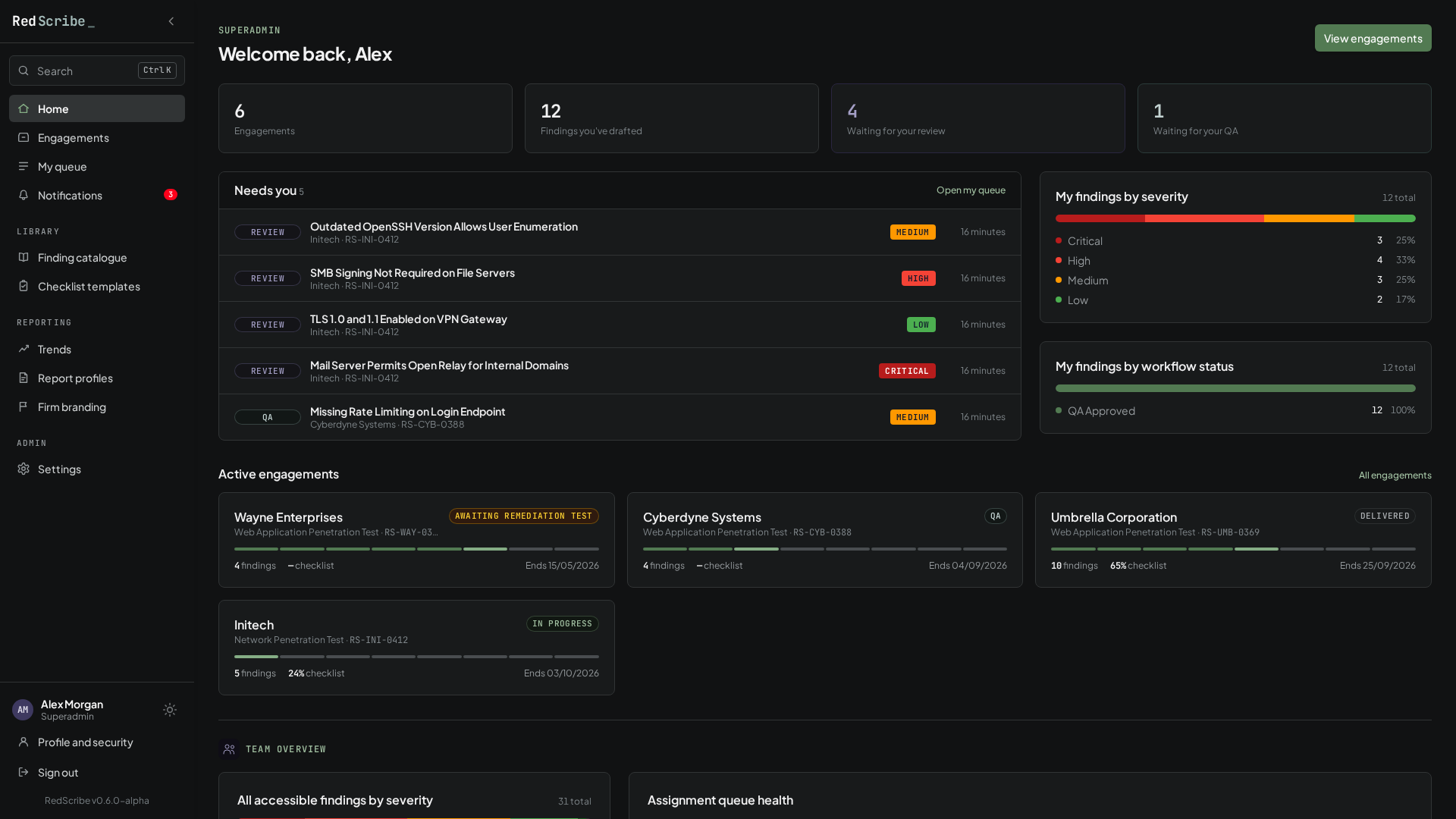
Status across every engagement, who’s on each team, default reviewers and QA, scope-change approvals, and which drafts still have no reviewer.
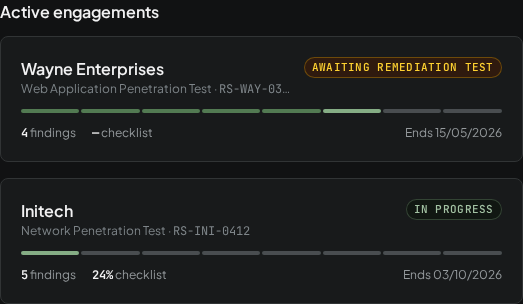
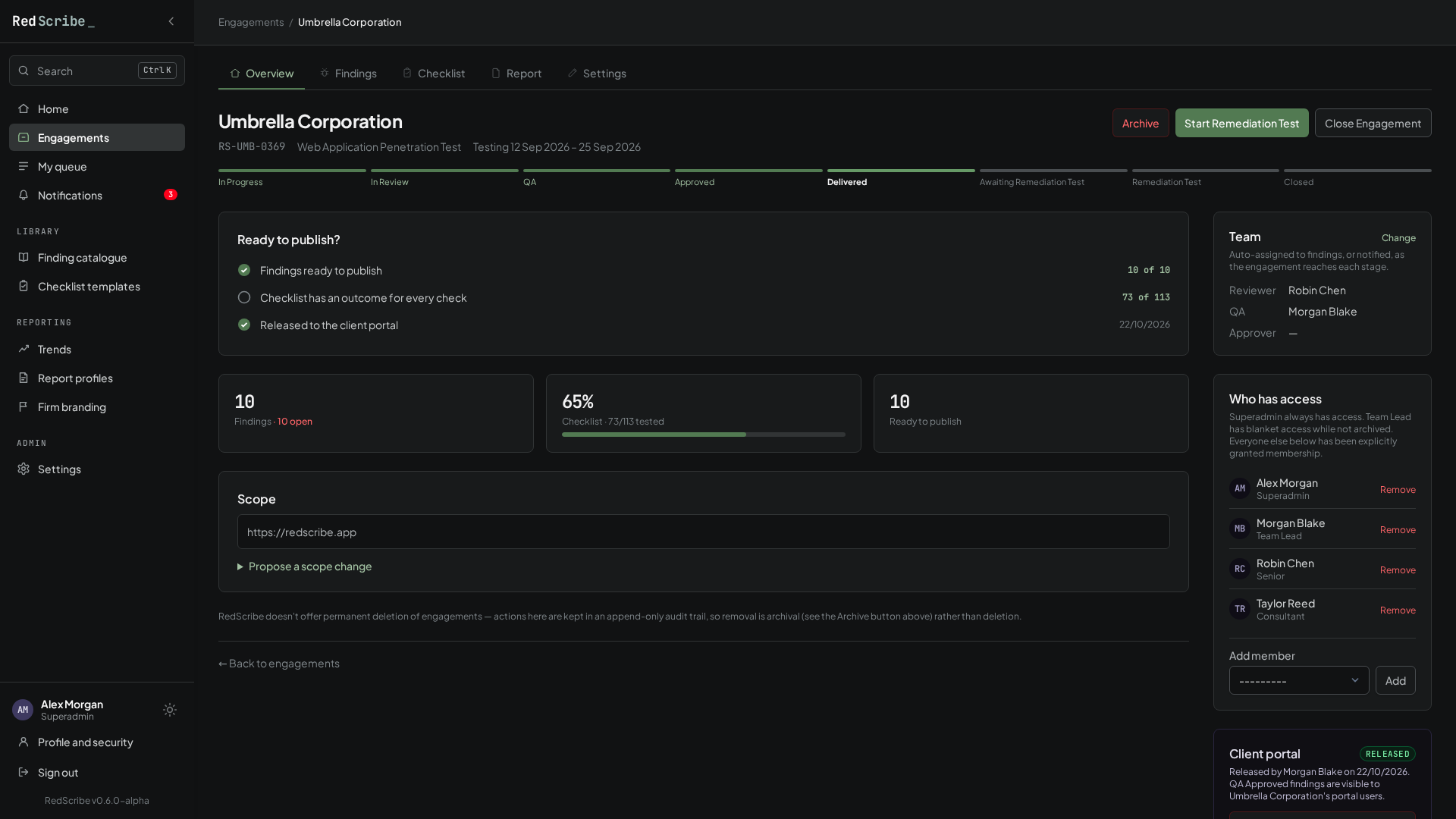
Each client project is one engagement: its scope, dates, team, checklist progress, and every finding raised against it, moving through a real status lifecycle from In Progress to Delivered and on to remediation testing.
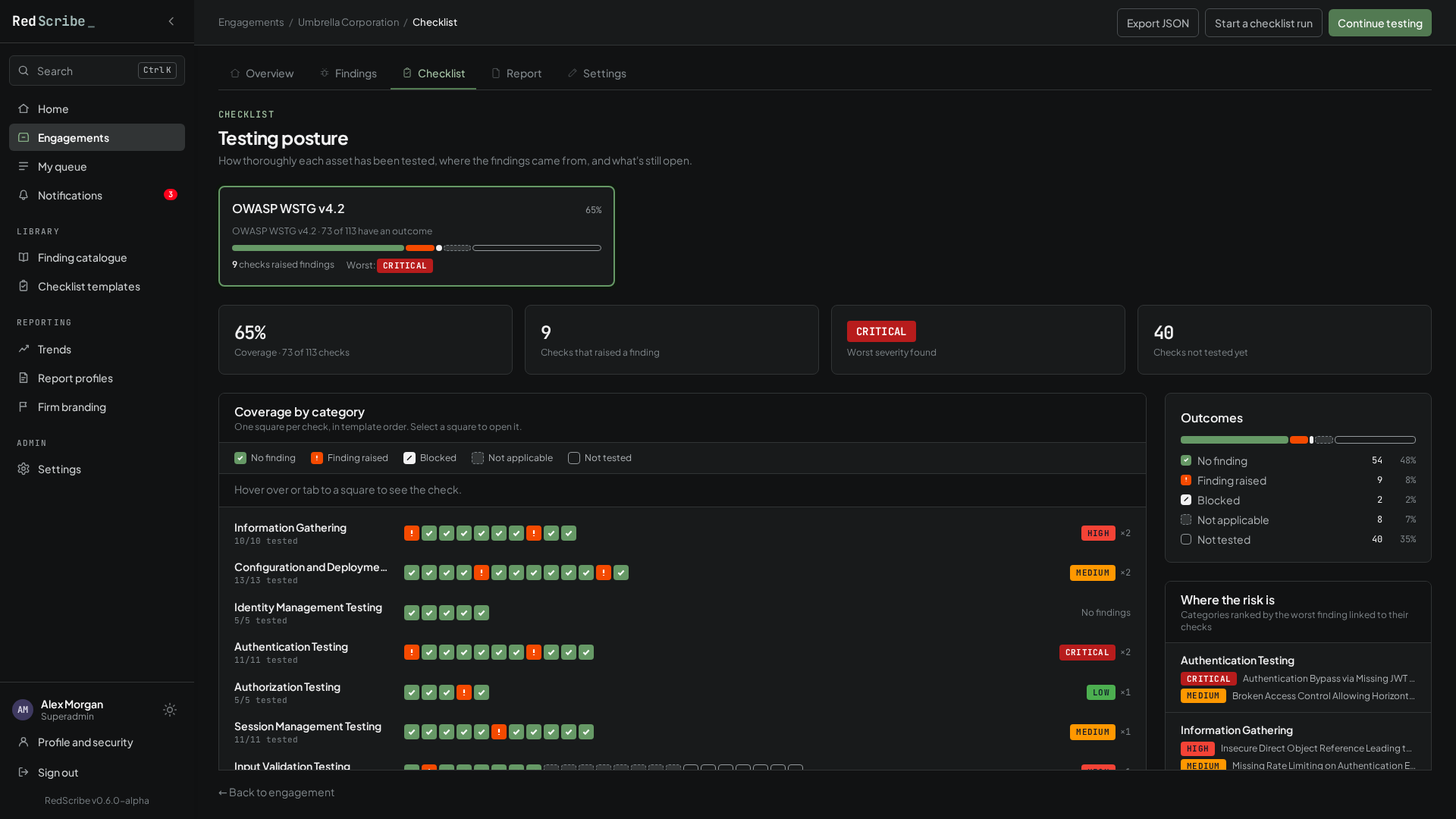
Run OWASP WSTG or your own template against an engagement, as many runs as the scope needs. The posture view shows coverage by category at a glance: what passed, what raised a finding, what was blocked and why, and what’s still untested.
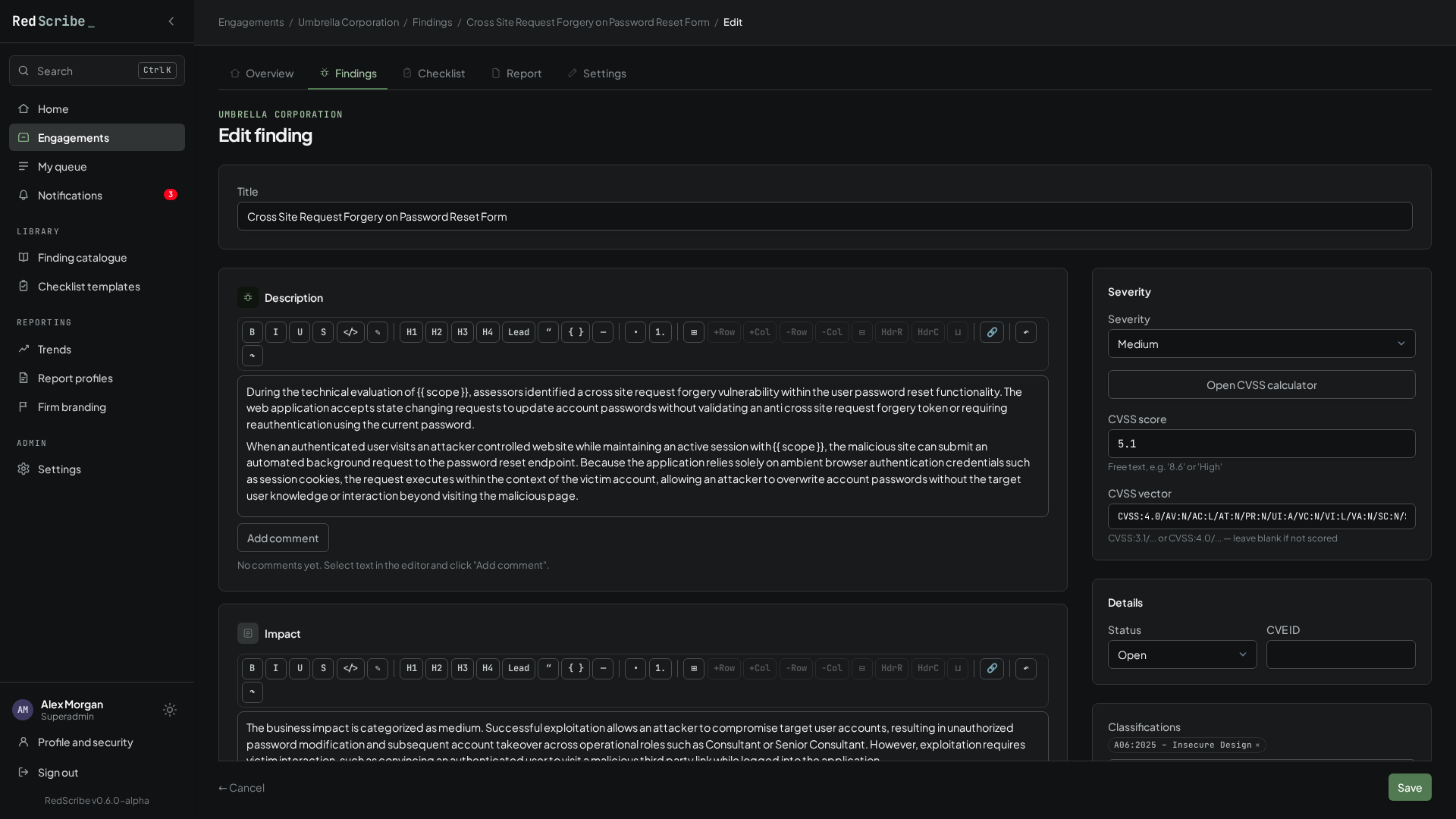
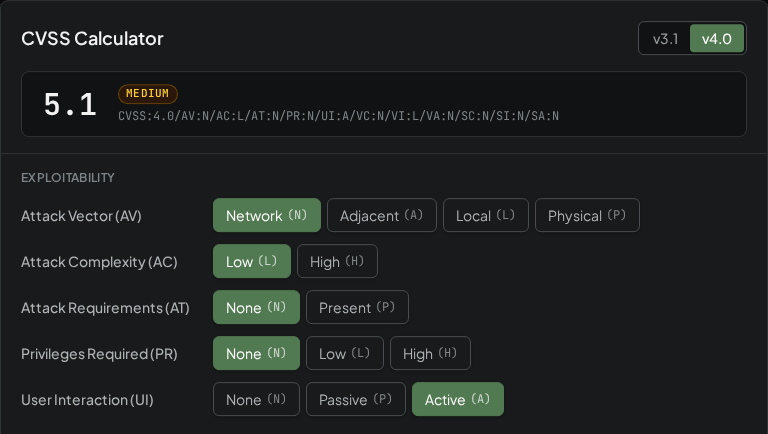
Findings are rich-text write-ups built from the sections your firm defines, scored with a CVSS calculator that speaks both v3.1 and v4.0. Start from an approved vulnerability catalogue entry instead of a blank page.
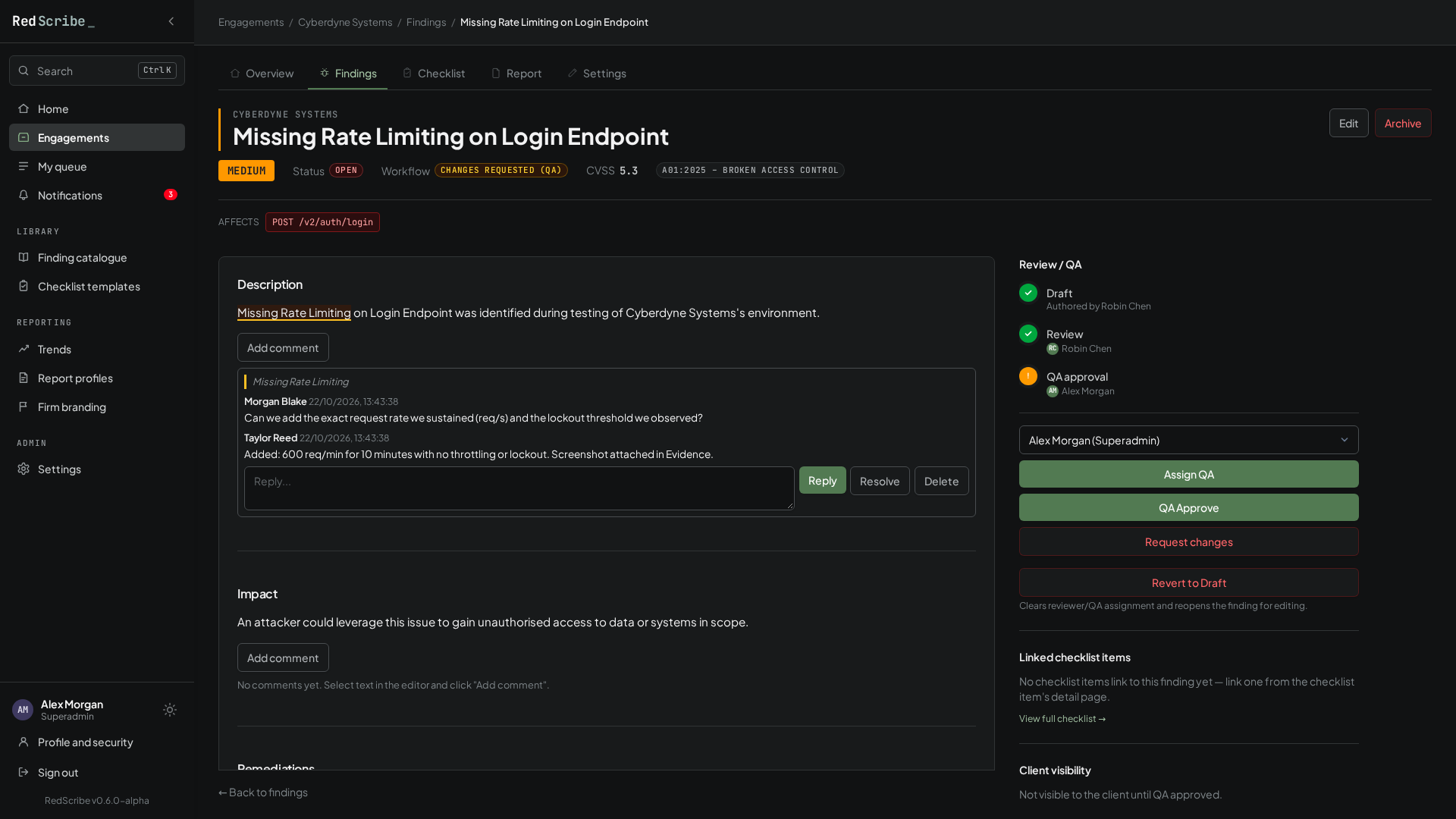
Every finding walks from Draft through Review to QA Approved, with named assignees at each step. Reviewers leave comments anchored to the exact text they’re about, so feedback lands where it applies.
One shared model drives every export, so PDF, HTML, Markdown, and Word all render the same report. Word export fills in a .docx template you design yourself, styled with your own document’s named styles.
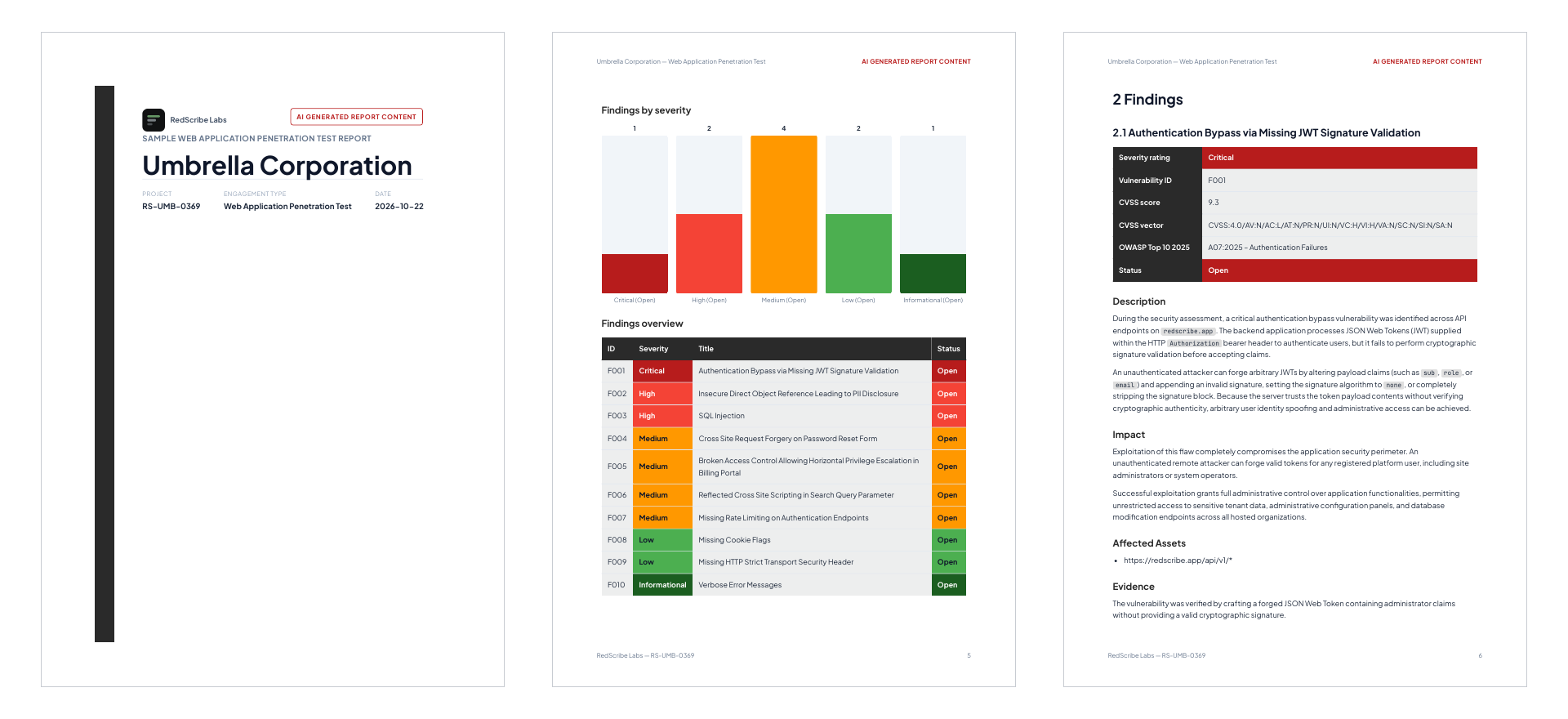
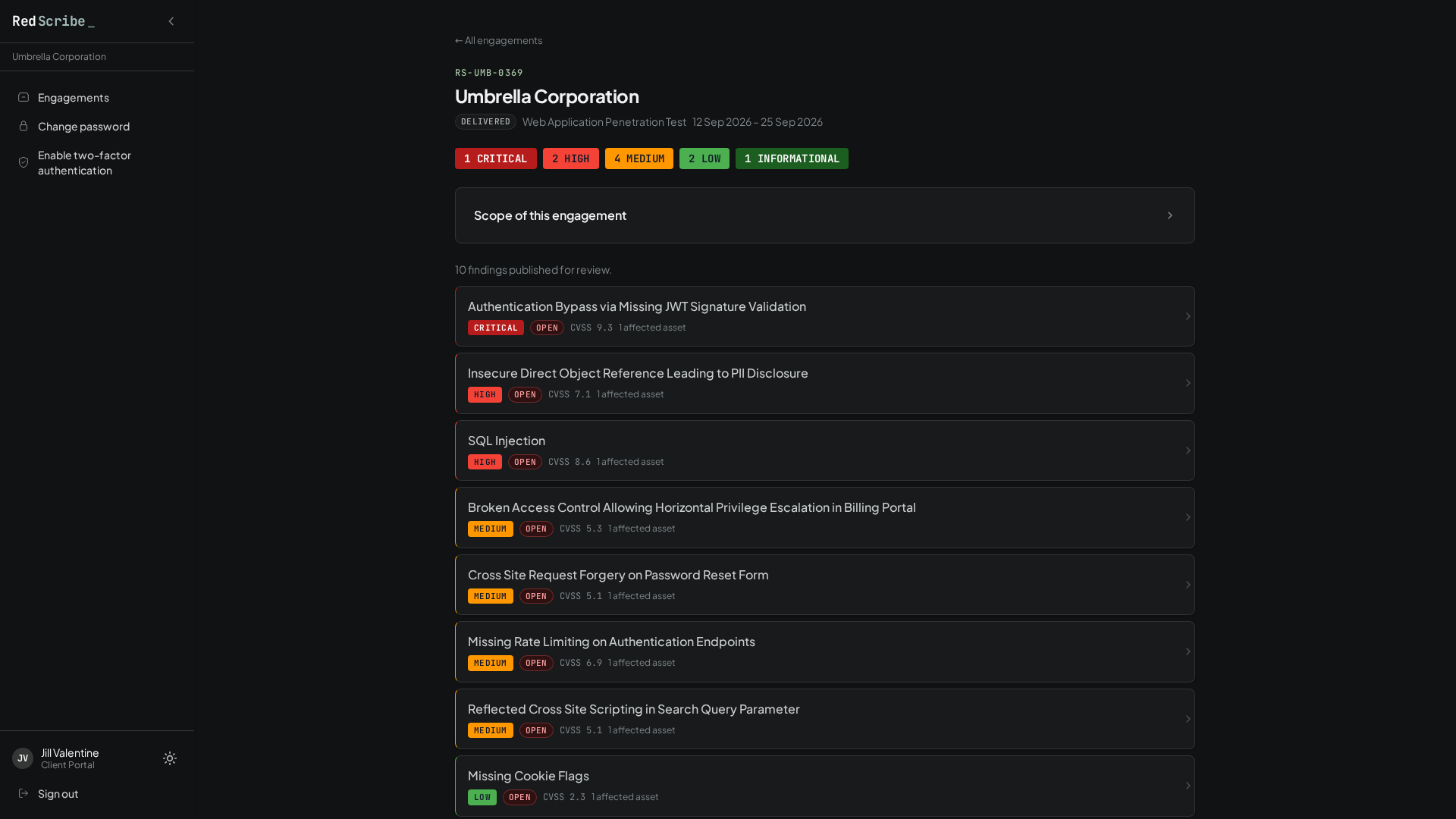
Client accounts see their own released engagements and, within them, only findings that have actually cleared QA. Nothing is editable, and nothing else is visible.
A pentest firm’s findings are sensitive by nature, and some clients raise the bar further. These defaults were chosen with that in mind from the start.
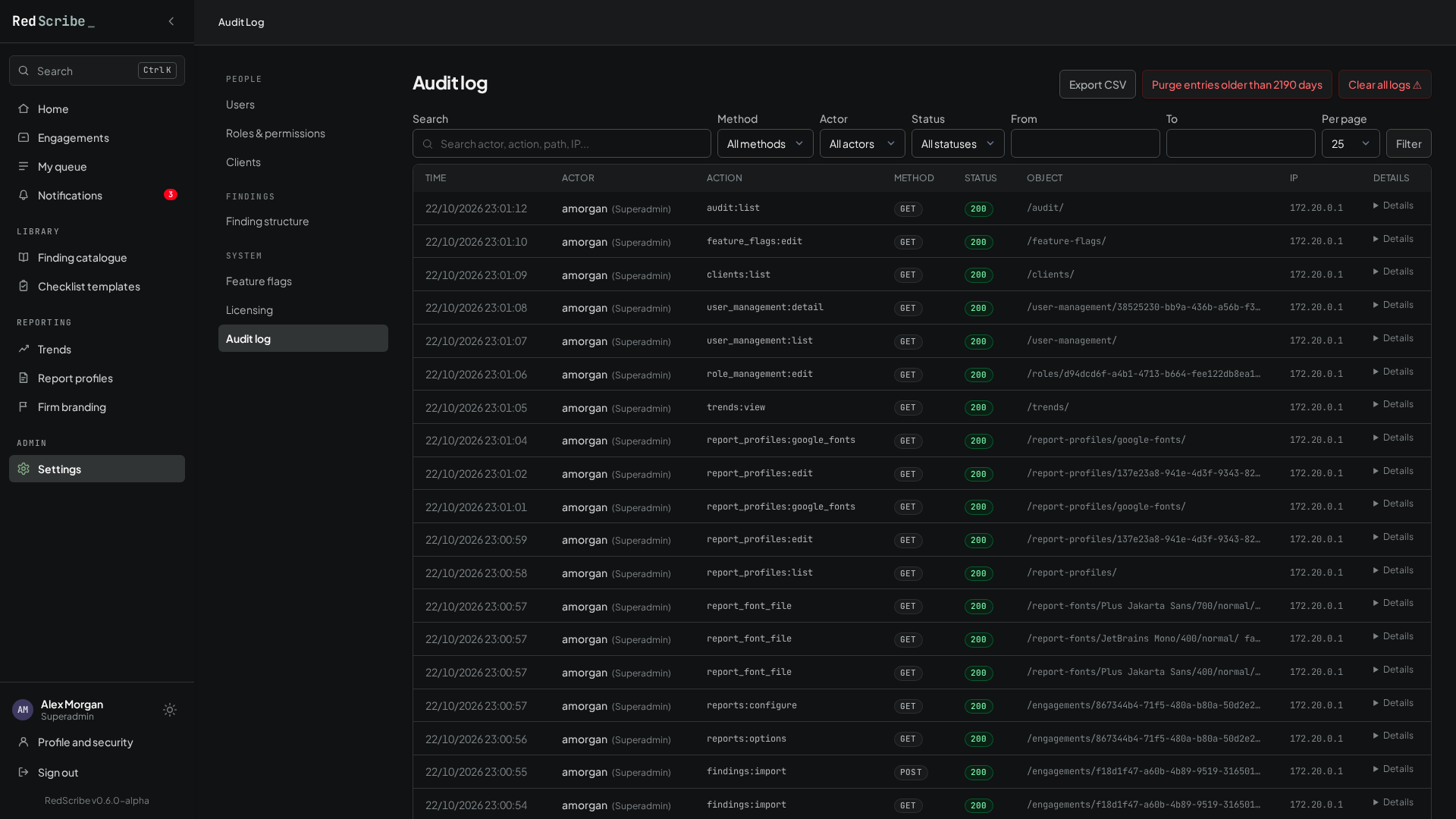
An append-only audit log covers every request, not just the ones that change something. Each entry’s hash chains onto the last, so tampering shows.
Pick the metrics, get the vector and score. Or paste a vector you already have.
Sensitive fields are sealed with AES-256-GCM under each engagement’s own data key, wrapped by your instance’s root key.
By default, every local account enrols in TOTP before it can see anything. Require it per role, or sign in with Google or Microsoft.
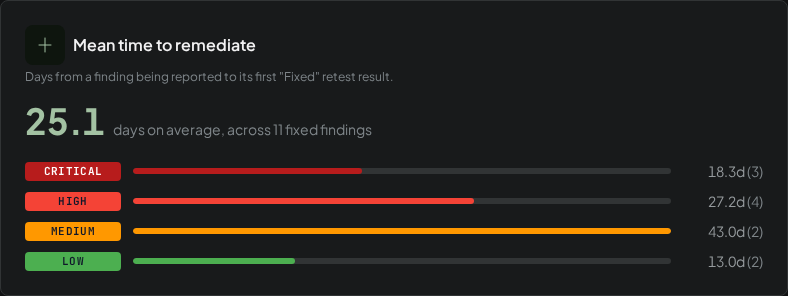
Mean time to remediate by severity, severity over time, and the classifications that keep recurring for the same client.
Build the roles your firm actually has, permission by permission. No fixed Admin/Editor/Viewer ladder.
Server-side, encrypted, and restore shows you an account-state diff before anything live is overwritten.
None of this makes RedScribe “compliant” by itself; that’s always down to whoever operates it. It means the technical foundation doesn’t fight you when you need one.
Every feature ships on every instance, with no exceptions. As a kickstart for the community, a commercial license key costs nothing for the first year. Priced tiers arrive once RedScribe has been proven at the scale real enterprise engagements demand.
Free, forever
Under the PolyForm Noncommercial License 1.0.0.
Free, first year
Including for-profit consultancies. Email for a key.
Four supported ways to run it: Docker Compose with automated Tailscale HTTPS, your own TLS certificate, plain HTTP on a trusted network, or local development without Docker.
Installation guide# Local try-out: no TLS, no domain
$ git clone https://github.com/redscribe-labs/redscribe && cd redscribe
$ cp .env.example .env # plus three secret files, see the quickstart
$ docker compose up -d --build
$ docker compose exec web python manage.py generate_root_key
# paste the printed key into secrets/root_key.txt, then:
$ docker compose up -d web
# open http://localhost:8000/setup/Spin up RedScribe in minutes and run your next engagement end to end.